Dashboard
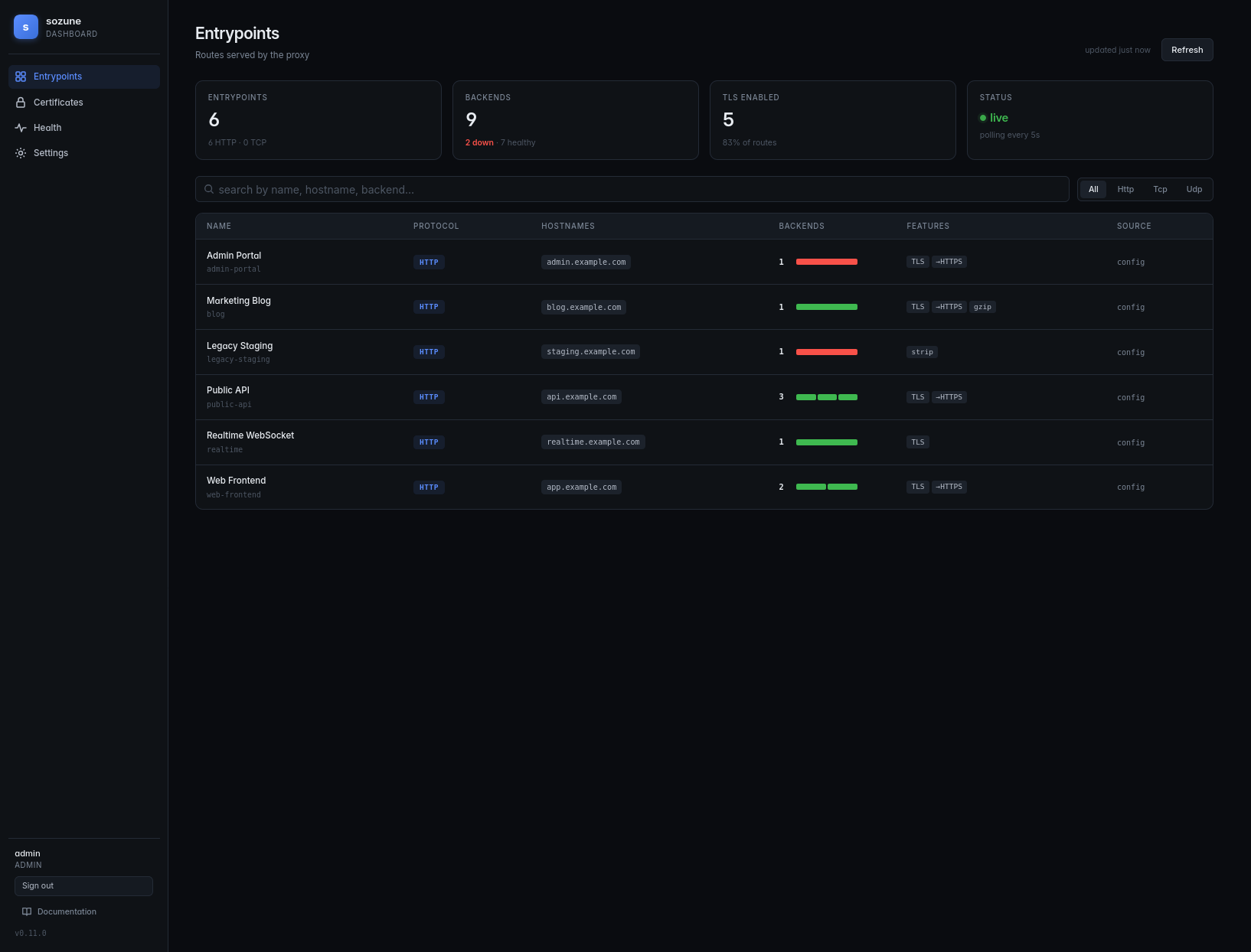
Sōzune ships with a built-in web dashboard to inspect entrypoints, check health, and manage settings without hitting the REST API by hand.
Configuration
Disabled by default. Enable it in config.yaml:
dashboard: enabled: true listen_address: "127.0.0.1:3038"
Restart sozune to pick up the change.
Pages
- Overview — a landing page summarising entrypoints, backends, and diagnostics at a glance, so you can spot the health of the whole proxy in one screen.
- Entrypoints — the full route list with drill-down filters (by host, provider, diagnostic) to go from the summary straight to a single route.
- Diagnostics — every active warning/error, filterable, each linking back to the entrypoint that raised it.
- Route tester — enter a URL (with a method, headers and a client IP if they matter) to see which route serves it and why the others do not: routes shadowed by a higher priority, rejected by their path, or refused by Sōzu, the middlewares the request goes through, and the health of the backends. Nothing is sent to a backend. Each entrypoint's page has a Test a request button that opens it pre-filled with a URL the route serves. Backed by
POST /routes/resolve, the same answer assozune route. - Config — a read-only view of the effective running configuration, backed by the
GET /configendpoint, with secrets masked. Use it to confirm what Sōzune actually loaded (environment overrides, provider merges) without exposing credentials.
Authentication
The dashboard talks to the REST API and uses the same credentials. Configure at least one user under api.users and log in from the dashboard's /login page.
Exposing the dashboard
The dashboard listens on 127.0.0.1:3038 by default — local-only, like the API. Two patterns to expose it externally:
-
Behind sozune itself — declare an entrypoint pointing at
127.0.0.1:3038withtls: true. Example with Docker labels on the sozune container:labels: - "sozune.enable=true" - "sozune.http.dashboard.host=dashboard.example.com" - "sozune.http.dashboard.port=3038" - "sozune.http.dashboard.tls=true" -
Behind another reverse proxy that already terminates TLS.
If you need it reachable on a LAN without going through a proxy, switch listen_address to 0.0.0.0:3038 — but never expose it on a public interface without TLS.
CORS
The dashboard runs on its own origin (e.g. http://dashboard.example.com) and calls the API on another (http://localhost:3035). The API allows any origin by default; restrict with api.cors_origins if you need to.
Preview